NEED HELP?
Resetting Your SSO Password and Finding your Username
Steps
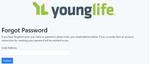
Click the Reset Password button or link provided on the login page. You will be directed to the Forgot Password page (https://apps.younglife.org/ForgotPassword/).
Enter Account Email: Type the Email address linked to your Young Life account into the required field and click Submit. You will receive an error if the email is not associated with any account.
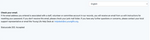
Check Your Email to see if you recieved the password reset email to your inbox.
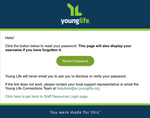
Locate the password reset email in your inbox. Click the Reset Password button within that message.
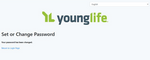
Set New Password; On the Set or Change Password page, enter your new password. Here you will see your username. Please note it, you will need it to login.
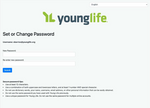
View Confirmation; You will be directed to a confirmation page indicating your password has been updated successfully.